
Slime Chunk Lite
 SlimeChunk Lite
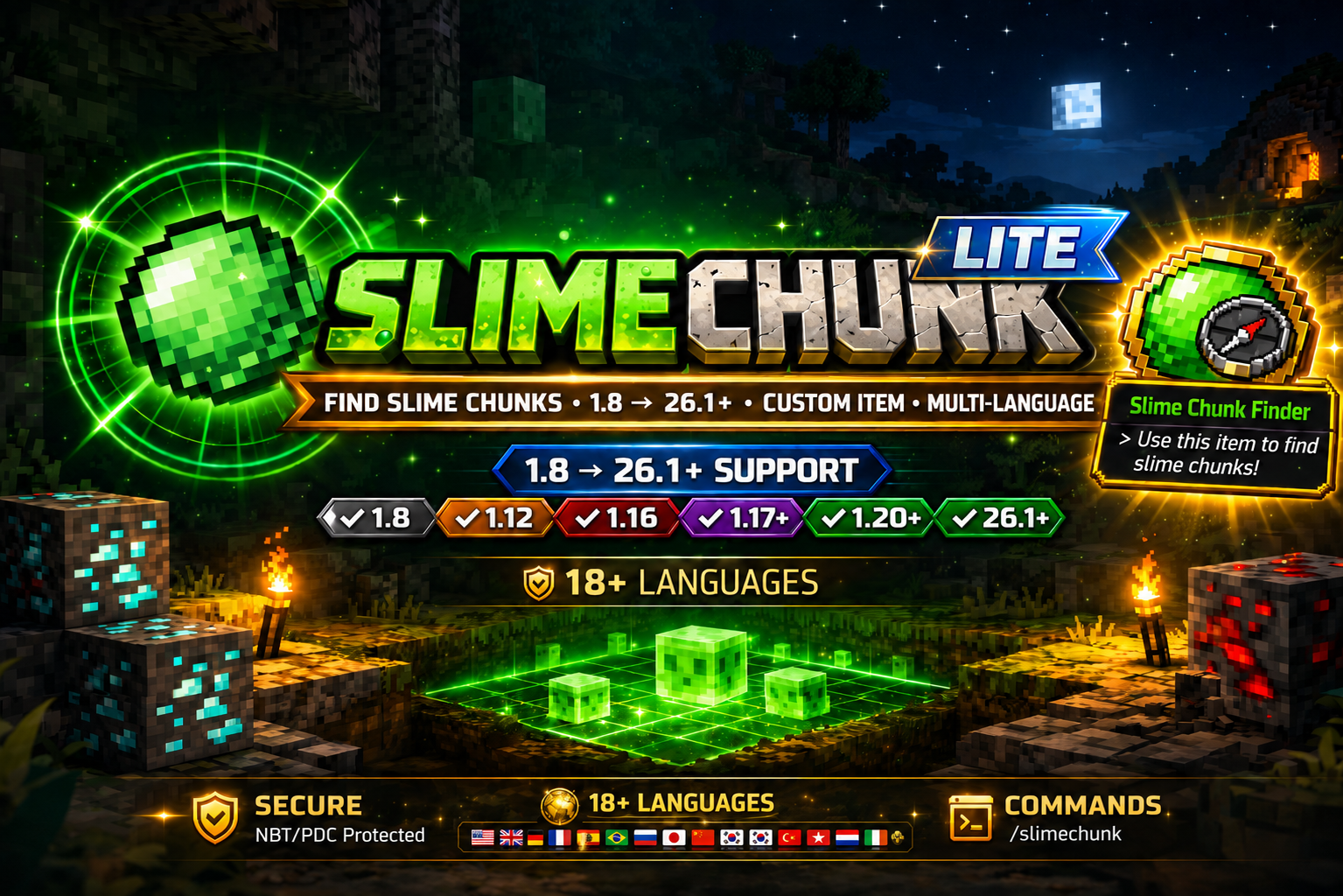
Find slime chunks instantly with a custom finder item.
Supports Minecraft 1.8 → 26.3+
SlimeChunk Lite
Find slime chunks instantly with a custom finder item.
Supports Minecraft 1.8 → 26.3+
Overview
SlimeChunk Lite is a lightweight slime chunk detection plugin for Spigot servers, allowing players to quickly determine whether a chunk can spawn slimes using a custom finder item. Designed to remain simple, fast, and cross-version compatible.- Custom Slime Chunk Finder item
- NBT/PDC protected item handling
- 19 languages included
- Cross-version compatibility
- ActionBar or chat detection messages
- Lightweight and server friendly
Gameplay Preview
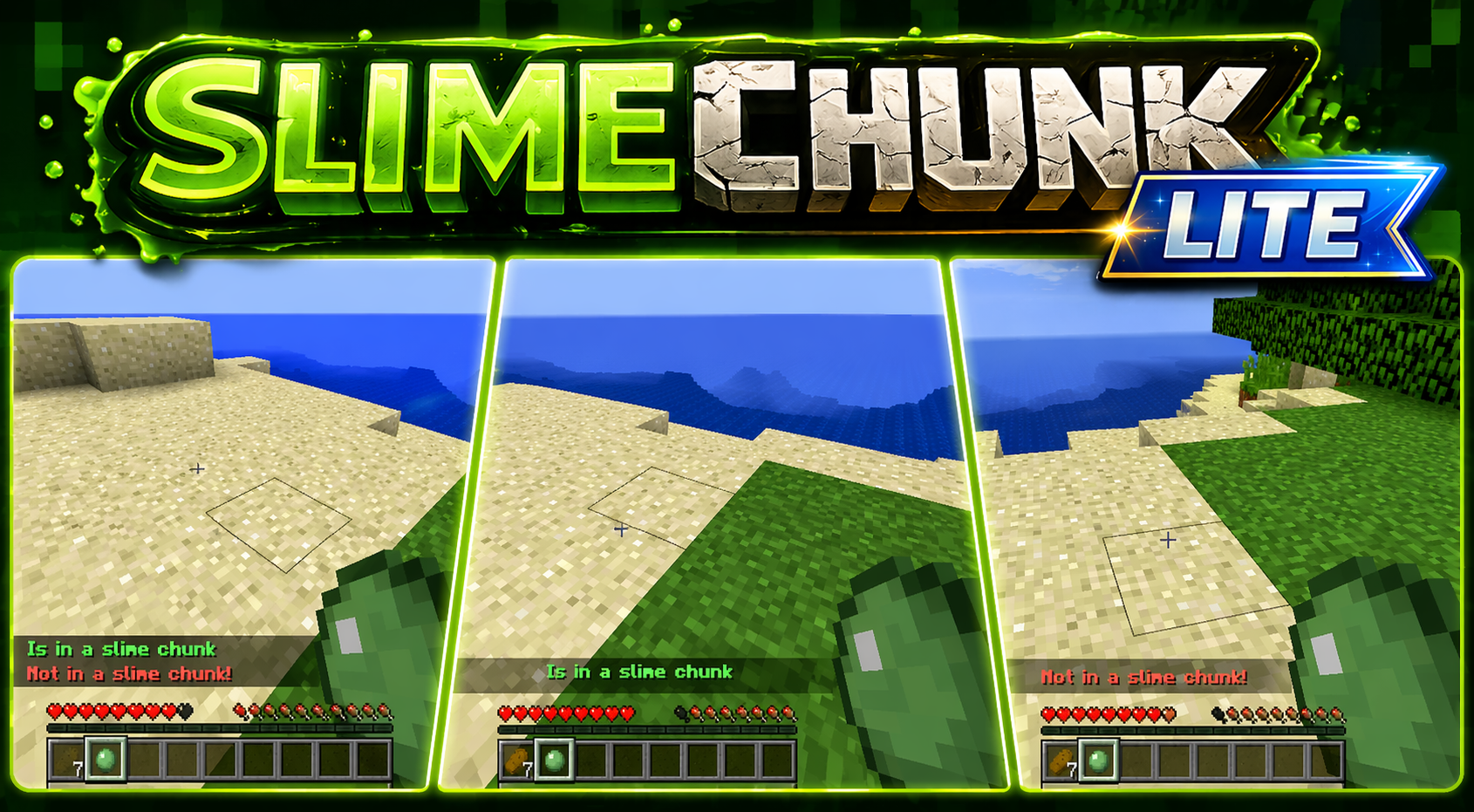
- Use the finder item and click in a chunk
- Receive immediate feedback: [LIST]
- Green message when in a slime chunk
- Red message when not in a slime chunk
Features
- Cross-Version Support [LIST]
- Minecraft 1.8
- Minecraft 1.9–1.16
- Minecraft 1.17–26.3+
- Dedicated slime chunk detection item
- Fast chunk detection without external tools
- Simple player-friendly usage
- NBT support for legacy versions
- PersistentDataContainer support for modern versions
- Prevents spoofed detector items
- Player language selection support
- Automatic language detection support
- Localized messages and configuration files
- /slimechunk language
- /slimechunk lang
- Per-player language preferences
- Modern ActionBar support
- Legacy compatible fallback handling
- Optional chat message fallback
- Legacy server support
- Modern server support
- Version-specific compatibility handling
- Spigot update notifications
- Console notifications
- Player notifications with permission
- Anonymous usage statistics
- Detection metrics tracking
- Performance-friendly reporting
- Minimal performance impact
- Simple setup
- Designed for survival servers
Commands
CODE
/slimechunk
/slimechunk help
/slimechunk language
/slimechunk language <locale|auto>
/slimechunk lang <locale|auto>
/slimechunk give [player] [amount]
/slimechunk reload

Alias:
/sc- /slimechunk — Shows available commands based on permission
- /slimechunk help — Shows available commands based on permission
- /slimechunk language — Shows language usage for player language selection
- /slimechunk language <locale|auto> — Sets or clears the player's selected language
- /slimechunk lang <locale|auto> — Alias for /slimechunk language
- /slimechunk give [player] [amount] — Gives Slime Chunk Finder items
- /slimechunk reload — Reloads config and language files
Permissions
CODE
slimechunk.notify
slimechunk.reload
slimechunk.actionmessage
slimechunk.slimeball
slimechunk.detector
slimechunk.give- slimechunk.notify — update notifications
- slimechunk.reload — reload config and language files
- slimechunk.actionmessage — use ActionBar messages
- slimechunk.slimeball — use finder item detection
- slimechunk.detector — detector permission node
- slimechunk.give — give finder items
Configuration Highlights
- Language selection
- Update checker toggle
- ActionBar enable/disable
- Permissionless slimeball mode option
- Console color settings
19 Included Languages
Core Languages- ✔ English (United States)
- ✔ Bulgarian (Bulgaria)
- ✔ Danish (Denmark)
- ✔ German (Germany)
- ✔ Italian (Italy)
- ✔ Dutch (Netherlands)
- ✔ Polish (Poland)
- ✔ Russian (Russia)
- ✔ Spanish (Spain)
- ✔ Spanish (Mexico)
- ✔ Spanish (Cuba)
- ✔ Spanish (United States)
- ✔ Spanish (Venezuela)
- ✔ French (France)
- ✔ French (Canada)
- ✔ Portuguese (Brazil)
- ✔ Portuguese (Portugal)
- ✔ Filipino (Philippines)
- ✔ Irish (Ireland)
- ✔ Scottish Gaelic (United Kingdom)
Installation
- Place the jar in your plugins folder
- Start or restart the server
- Adjust configuration if desired
- Use:
after config changesCODE
/slimechunk reload
Version History
1.4.4 — Portuguese & Command Completion Fixes
- Fixed Portuguese language selection so pt_br and pt_pt apply and display the correct Portuguese locale
- Fixed Lite tab completion so Premium-only commands are never suggested in Lite
- Lite tab completion now only suggests Lite commands based on permission
- Updated shared language handling to use the supported locale list in a stable order
- Updated bundled language file version to 1.0.46
- Code cleanup and stability improvements
1.4.3 — Maintenance & Version Alignment
- Shared command cleanup
- Shared metrics cleanup
- Project maintenance improvements
- Version alignment updates
1.4.2 — Player Language Commands
- Added /slimechunk language
- Added /slimechunk language <locale|auto>
- Added lang alias support
- Added tab completion for language selection
- Updated command and permission documentation
1.4.1 — Portuguese Language Expansion
- Added Portuguese (Brazil) language support
- Added Portuguese (Portugal) language support
- Updated shared language file version to 1.0.45
- Updated command tab completion cleanup
- Shared command framework maintenance updates
1.4.0 — Portuguese Language Support
- Added Portuguese (Brazil) language support
- Added Portuguese (Portugal) language support
- Added Portuguese language registration to the shared language system
- Updated language support documentation
- Expanded supported language coverage to 19 languages
1.3.9 — Lite Command Completion Cleanup
- Updated Lite SCCommand tab completion handling
- Improved Lite command completion behavior
- Kept Premium-only command completions out of Lite
- Shared command framework cleanup and compatibility updates
- Version alignment updates
1.3.8 — Code Cleanup and Compatibility Alignment
- []Code cleanup and shared compatibility alignment []Shared framework maintenance from the SlimeChunkFamily hotfix cycle []No Premium visualizer feature notes added to Lite
1.3.7 — Code Cleanup and Compatibility Alignment
- []Code cleanup and shared compatibility alignment []Shared framework maintenance from the SlimeChunkFamily update cycle []No Premium visualizer feature notes added to Lite
1.3.6 — Metrics Framework Cleanup
- []Moved SlimeChunk metrics chart registration into shared SlimeChunkMetrics []Added shared persistent MetricsCounter using metrics.yml []Added persistent detected_chunks_total metrics support through the shared framework []Removed unused update_channel custom chart []Kept official bStats Metrics.java untouched except package relocation []Code cleanup and general stability improvements
1.3.5 — bStats Framework Restoration
- []Replaced the modified Metrics implementation with the official bStats Bukkit Metrics class []Relocated only the package to net.endcoder.slimechunk.shared.Metrics []Restored official bStats submission timing and request format []Code cleanup and general stability improvements
1.3.3 — Metrics Submission Fix
- []Fixed bStats submission flow so Lite reports metrics directly and reliably []Normalized bStats submit URL casing []Reduced first metrics submit delay for easier startup verification []Code cleanup and general stability improvements
1.3.2 — Stability Update
- []Code cleanup []General stability improvements
1.3.1 — General Stability Update
- []Code cleanup and general stability updates
1.3.0 — Command Tab Completion
- []Added tab completion for the main command and /sc alias []Added permission-aware subcommand completions []Added player-name and amount completions for give []Reflected compatible command cleanup from Premium into Lite
1.2.2 — Legacy Compatibility and UTF-8 Language Fixes
- []Reflected shared legacy-safe text/title handling cleanup for Spigot 1.8 compatibility []Kept language output using friendly ASCII locale names []Cleaned UTF-8 language YAML handling
- Reflected shared language formatting and stability fixes from Premium into Lite
1.2.1 — Locale Display and Version Alignment
- []Updated locale display formatting to show friendly ASCII locale names []Reflected legacy-safe text/title handling cleanup for Spigot 1.8 compatibility []Locale codes such as en_us now resolve to English United States
- Reflected shared language formatting cleanup from Premium into Lite
1.2.0 — Runtime Language Cache Fix
- []Fixed player language changes applying only after a plugin reload []Improved immediate language switching for player-selected locales []Improved default user language handling []General Updates
1.0.42 — Language Runtime and Console Locale Fix
- Improved player message locale resolution so selected languages are used during gameplay
- Improved console locale handling for translated console messages
- Improved language fallback behavior when a selected locale is unavailable
- General Updates
1.0.41 — Language, Metrics, and Locale Fixes
- Improved player locale loading from saved user settings
- Improved metrics startup messaging
- Completed additional language file corrections
- General Updates
1.0.40 — Language Confirmation and README Cleanup
- Fixed language change confirmation messages so they use the newly selected language immediately
- Updated language selection output to show full language names instead of locale codes
- Restored full Lite version history for forum and marketplace use
- General Updates
1.0.39 — Language Key Compile Fix
- Added missing language key constants used by the language system
- Added missing default language values used by runtime fallback handling
- General Updates
1.0.38 — Language Translation Cleanup
- Completed translations for all bundled Lite language files
- Completed localized Lite configuration templates
- Improved displayed language names
- General Updates
1.0.37 — Language Compatibility Cleanup
- Completed language file coverage for all bundled locales
- Improved modern Minecraft compatibility handling
- General Updates
1.0.36 — Item Creation Stability
- Improved Slime Finder item creation fallback handling
- Improved compatibility on legacy server versions
- General Updates
1.0.35 — General Stability Updates
- Runtime Stability Improvements
- Language Improvements
- General Updates
1.0.34 — Language Runtime Repair
- Improved language fallback behavior
- Improved runtime stability for language lookups
- General Updates
1.0.33 — Build and Dependency Cleanup
- Improved project build handling
- Improved plugin dependency handling
- General Updates
1.0.32 — Eclipse Project Cleanup
- Improved Eclipse project compatibility
- General Updates
1.0.31 — Build Path Cleanup
- Improved IDE import compatibility
- General Updates
1.0.30 — Language and Config Coverage
- Added bundled locale coverage
- Added localized Lite configuration templates
- General Updates
1.0.29 — Maintenance Update
- Improved project maintainability
- General Updates
1.0.28 — Metrics Language Cleanup
- Moved remaining Metrics/bStats human-readable strings into the language system
- Added translated metrics.* entries to every bundled language file
- Kept en_us.yml as the default fallback language
1.0.27 — Language Translation Correction
- Translated newly added plugin, server compatibility, and updater language keys in every non-English language file
- Kept en_us.yml as the default fallback language
- Preserved existing multilingual SlimeChunk command and item strings
1.0.26 — Language System Cleanup
- Added missing hard-coded Java messages to the multilingual language system
- Added default en_us.yml entries for plugin status, updater, and compatibility messages
- Updated command usage and Slime Chunk Finder item naming to use language keys
1.0.25 — Cross-Version Compile Fix
- Fixed compile error caused by the ServerVersion field shadowing the ServerVersion utility class
- Preserved cross-version detection for legacy CraftBukkit package tokens and modern 26.1+ Bukkit version strings
1.0.24 — 26.1+ Compatibility Fix
- Fixed startup crash on 26.1+ caused by hard-coded CraftBukkit package substring parsing
- Added safe server version detection for modern flattened CraftBukkit packages
- Routed 26.1+ servers through the modern listener and ActionBar handlers
- Changed plugin.yml to use ${project.version} with Maven resource filtering
- Updated compatibility text from 1.21.11/latest to 26.1+
1.0.23 — Code Cleanup & Stability
- Fixed package inconsistencies
- Removed unused variables
- Standardized enum comparisons
- Improved method naming
- General bug fixes and optimizations
1.0.22 — Language Updates
- Added Danish
- Added German
- Added Spanish
- Added French
- Added Dutch
1.0.21 — Compatibility System Update
- Rebuilt compatibility checker
- Added support through 1.21
- Improved startup compatibility messaging
1.0.20 — ActionBar System Rewrite
- Rebuilt ActionBar support
- Added support for: [LIST]
- 1.8
- 1.9–1.16
- 1.17–1.21 and modern 26.1+
1.0.19 — Permissions Update
- Added slimechunk.give
- Added slimechunk.reload
- Permission cleanup
1.0.18 — Command System Update
- Added /slimechunk base command
- Added /slimechunk give
- Added /slimechunk reload
- Removed /screload
1.0.17 — Compatibility Updates
- Additional cross-version compatibility improvements
- Internal compatibility refinements
- Stability improvements
1.0.16 — NBT / Data Tag System
- Added hidden item identification system
- Implemented NBT tags for legacy versions
- Added PersistentDataContainer support for modern versions
- Improved item spoof protection
1.0.15 — Slime Chunk Finder Item
- Added custom Slime Chunk Finder item
- Replaced standard slime ball detection
- Added custom name and lore support
- Improved finder item handling
1.0.14 — Listener & Event Fixes
- Reworked player interaction listeners
- Fixed duplicate triggers
- Improved event handling performance
1.0.13 — Major Update
- Compatibility rewrite
- Support extended through 1.21
- Performance improvements
1.0.12
- Fixed bug
1.0.11
- Fixed bug
1.0.10 — Code Cleanup
- General cleanup
1.0.9
- Metrics bug fix
1.0.8
- Bug fixes and updates
1.0.7
- Confirmed 1.13.1 support
1.0.6
- Updater textual fix
1.0.5
- Fixed duplicate messages
1.0.4 — Complete Recode
- Core plugin rebuild
- Added ActionBar messages
- Added configuration system
1.0.3
- Update checker fixes
1.0.2
- Added update checking
- Added slimechunk.notify
1.0.1
- Pressure plate/tripwire bug fix
1.0.0 — Initial Release
- Created SlimeChunk Lite
Terms of Service: By purchasing or downloading this plugin, you agree that you may NOT redistribute, leak, resell, share, decompile for redistribution, or claim any part of this plugin as your own. This plugin is licensed for use only on servers/networks you own or manage. Chargebacks, piracy, or unauthorized distribution may result in license termination, blacklist enforcement, and marketplace/legal action where applicable. All sales are final unless required otherwise by law.
Supports Minecraft 1.8 – 26.3+
Developed by Endcoder Creative